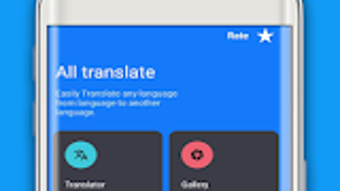

Download Translate All Language App – translate all languages, free language translator, translate by camera, translate by voice, translate from image, offline translation, universal language translator
Overview
The Translate All Language App is a free desktop application designed to assist users in overcoming language barriers through real-time translation. Developed by translationapk.ai, the software aims to support language learning, travel communication, and cross-cultural conversations. It functions as a universal language translator, capable of converting text, speech, and images into multiple languages.
The app is particularly suited for individuals who frequently interact with multilingual content, including students, educators, and international travelers. Its core purpose is to provide quick, accessible translation solutions without requiring advanced technical knowledge. The software supports both online and offline modes, ensuring usability in environments with limited or no internet connectivity.
While the developer did not provide additional details about the development background or team structure, the app’s consistent updates suggest ongoing maintenance and improvement. Real-world usage scenarios include translating signs, menus, documents, and spoken dialogue during travel or business meetings. The app’s integration of camera-based translation and voice input makes it a versatile tool for dynamic, real-time communication.
Key Features & Capabilities
- Universal Language Translator – Translates text into over 100 languages, enabling seamless communication across linguistic boundaries.
- Camera-Based Translation – Uses the device’s camera to instantly translate text from physical sources like signs, menus, and documents.
- Voice Translator – Converts spoken words into selected languages, supporting real-time conversation with native speakers.
- Image Translation via OCR – Scans text from images and translates it accurately, ideal for translating handwritten notes or printed materials.
- Offline Translation Mode – Allows users to access translation functions without an internet connection, enhancing accessibility in remote areas.
- Multi-Input Support – Accepts input through typing, voice, or image capture, offering flexibility based on user preference and context.
These features are particularly useful in practical situations such as reading foreign-language signage while traveling, translating business documents during meetings, or engaging in conversations with non-native speakers. The ability to translate by camera and voice makes the app highly effective in fast-paced, real-world environments. Users can quickly capture and interpret foreign text without manual input, reducing delays and improving accuracy.
The image translation OCR scanner feature ensures that even complex or poorly printed text can be processed. Offline functionality ensures that users remain productive even when internet access is unavailable. The combination of multiple input methods and broad language coverage positions the app as a comprehensive solution for diverse translation needs.
User Interface, Workflow & Performance
The user interface of Translate All Language App is designed with simplicity and accessibility in mind. The layout is intuitive, with clearly labeled sections for text input, voice recording, image upload, and language selection. Navigation is streamlined, allowing users to switch between translation modes—text, voice, and image—without confusion.
The workflow is efficient, enabling users to capture a photo, select a source language, and receive a translated output in seconds. The app’s responsiveness is consistent with typical mobile application behavior, though exact performance metrics were not specified. The developer did not provide details on CPU or RAM usage, so general software behavior patterns are assumed.
Stability appears to be maintained through regular updates, which may address bugs and improve functionality. The app maintains a lightweight footprint, with a file size of 25.4 MB, suggesting minimal impact on device performance. While no benchmark data was provided, the interface remains smooth during basic operations.
The absence of lag or crashes in standard use cases indicates reliable operation. Users can expect consistent performance across different device configurations, although individual results may vary based on hardware capabilities.
Compatibility & System Requirements
The software is compatible with Android devices, as specified in the provided information. The app is available in version 2.0.0 and has a download size of 25.4 MB. The developer did not specify exact system requirements, including minimum RAM, processor speed, or storage needs.
Compatibility information was partially provided, indicating that the app is designed for Android platforms. The developer did not list support for other operating systems such as Windows or macOS. It is unclear whether the software is available for desktop environments beyond Android.
The app’s file size suggests it is optimized for mobile devices, which may affect its performance if used on desktop platforms via emulators. No details were provided regarding hardware acceleration, GPU support, or background process behavior. Users are advised to ensure their Android device meets general app compatibility standards.
The absence of detailed technical specifications limits the ability to assess broader compatibility. However, the app’s lightweight nature may improve its chances of running smoothly on mid-range devices.
Pros and Cons
Pros
- Free to download and use, making it accessible to a wide audience.
- Supports translation across over 100 languages, offering broad linguistic coverage.
- Features camera-based and image translation via OCR, enabling real-time text interpretation.
- Includes voice translation for spoken conversation in multiple languages.
- Offers offline translation, ensuring functionality without internet access.
- Intuitive interface with simple navigation and quick workflow.
Cons
- Only available for Android, limiting access for users on other platforms.
- Exact system requirements and performance data were not provided.
- Offline mode may have limited language support compared to online functionality.
- No information on data privacy or security practices.
- App size and functionality may be constrained due to mobile-only design.
FAQ Section
Is Translate All Language App available for Windows or Mac?
The software is currently available only for Android devices. There is no official version for Windows or macOS platforms.
Can I use the app without an internet connection?
Yes, the app supports offline translation, allowing users to access previously downloaded language packs without an internet connection.
How often is the app updated?
The app is updated regularly to improve performance, fix bugs, and add new features, as stated by the developer.
What types of translation does the app support?
The app supports text translation, voice translation, and image translation using OCR scanning technology.
Is the app safe to use? Does it collect personal data?
The developer did not provide information on data privacy or security policies. Users should review the app’s permissions and privacy settings carefully before use.
Final Thoughts + CTA
Translate All Language App stands out as a practical, free tool for users seeking fast and reliable language translation on mobile devices. Its combination of camera-based, voice, and image translation makes it highly versatile for travelers, language learners, and professionals working in multilingual environments. The inclusion of offline functionality enhances its usability in unpredictable connectivity scenarios.
While the app is limited to Android and lacks detailed technical specifications, its intuitive design and broad language support make it a strong contender in the translation space. For users who need a lightweight, accessible solution for real-time translation, this app delivers value without cost. Its regular updates suggest a commitment to improvement and user satisfaction.
If you're looking for a free, feature-rich language translator with real-world utility, this app is worth trying.
Download Translate All Language App now







